Category: AI design

  • Interaction Design for AI: why we need a new paradigm. Not just another user interface.

    Interaction Design for AI: why we need a new paradigm. Not just another user interface.

    We are so excited. We can pull up a broad set of information on a given topic – without even thinking. We can create engaging, concise and well-structured writing – one we would never write ourselves. And we can express our ideas verbally to generate visuals, from photorealistic images to sketchy illustrations or diagrams. But something is not quite working. The end result seems to be just one more step away:

    One more iteration. One more choice. But wait, I lost that one and I need to go back. Oh. And I need more depth here. And I want a better synthesis altogether…Ah. I should stop here…It is not getting any better.

    After investing quite a bit of time (and yes AI is saving, but also taking away time as we struggle for perfection), we take the best output and continue with manual edits. Getting our intent, our ideas out of our head and describing them in a way that AI can find, synthesise, expand and visualise, is far from straightforward. The more natural the conversation, the more frustrating it feels when the generated content is not right. This online article by Jacob Nielsen describes the “articulation barrier”, highlighting how “prompt engineering” is becoming more and more of a specialised profession:

    “That “prompt engineering” can be a job suggests that many business professionals can’t articulate their needs sufficiently well to use current AI user interfaces successfully for anything beyond the most straightforward problems.”

    The usability issue with prompt-driven AI is evident. Every time an AI user expresses frustration with the results, the answer they get usually get from peers follows along: “Wrong prompt”, “you need a different prompt”, “you need to change the order” etc. It reminds me of the early days of the web: if something is not quite working, it is the user’s fault. In reality, natural language prompts are still like code. You don’t need to memorise specific commands or put any </> to get something back. However, the exact words that you use and how you order your questioning – matters. So “prompts” are actually “scripts”. You copy and paste someone else’s script with your data and aha – you suddenly get a better output.

    The barrier of articulating prompts does not only relate to literacy, although literacy is indeed a huge barrier for AI adoption in low resource settings. I have a PhD in Human Computer Interaction (so I consider myself quite literate), yet I am often frustrated with the process of iterative prompting – especially when creating visual content. Although, one can achieve a lot through experimentation, continuous trial and error – natural language interactions are not enough. Prompt engineering is creating another kind of digital divide. It is not AI who’s threatening to take over your job, but rather other professionals, who are highly skilled at … prompting AIs.

    The challenge is being able to think like an “engineer”. We need a mental model of how Gen AI works in order to be able to adjust our prompts accordingly. AI interactions lack “discoverability”: being able to identify the available functionality of a system. We rely on trial and refinement, because we are not able to understand the workflow that an LLM follows and the parameters that define the text, images, sounds or video that it produces in response to our prompt. As much as we might understand the general principles and available use cases for a given Gen AI tool, we do not have a clear “conceptual model” for AI. As Don Norman says in “The Design of Everyday Things” in 1990:

    “A good conceptual model allows us to predict the effects of our actions. Without a good model we operate by rote, blindly; we do operations as we were told to do them; we can’t fully appreciate why, what effects to expect, or what to do if things go wrong.”

    Article content
    ChatGPT generated image

    Since last year, AI tools have improved to enable more user control and to increase transparency. This is evidenced in the use of interactive elements, like sliders, buttons, or pre-defined prompts, in addition to text or voice user input. These are steps towards the right direction – a good start.

    But let’s think beyond widgets, drop-down menus, buttons and sliders. Every transformative technology has had its interaction design challenges at start. Remember the first internet-enabled phones? I do. In 2007 I worked at Deutsche Telekom and designed interaction models for some of the first touchscreen phones, creating experimental prototypes, mock-ups and learning through iterative user testing. At that time, there were no “design systems”. No design guidelines either, enabling users to efficiently explore internet content on a phone or to interact with a touchscreen. Those were exciting times for us, interaction designers – because we had to figure out these guidelines. We are now living a similar moment with Gen AI. However, many haven’t realised yet that solving this design challenge requires a more holistic, innovation-driven approach – rather than relying on existing patterns.

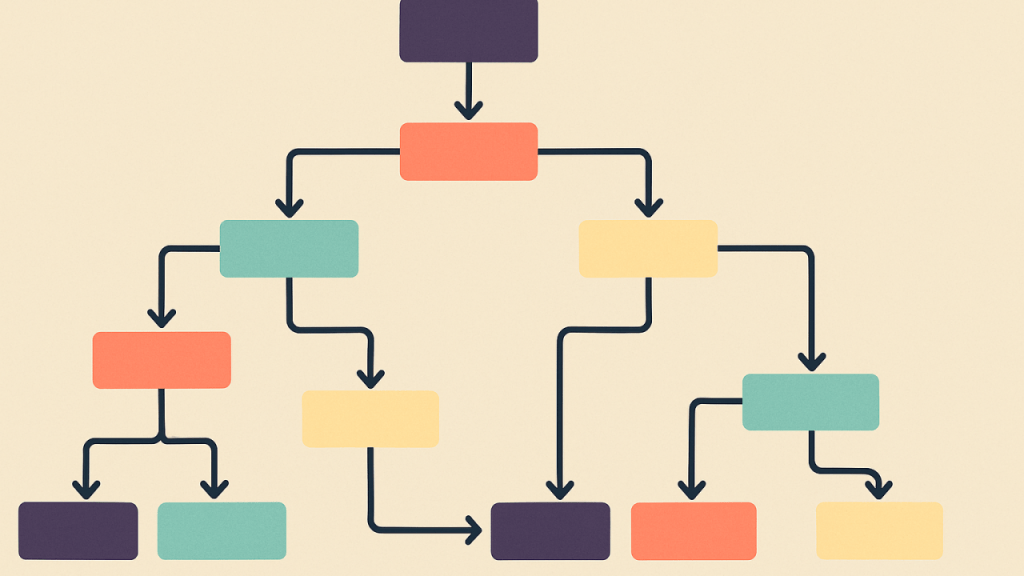
    My vision for our near future interactions with AI lies in co-creating dynamic, real-time workflows, navigating intuitively back and forth between versions, selecting and extracting specific elements to refine or to create a new path.

    Article content
    Not exactly what ChatGPT visualised here, but it will have to do.

    It would take a design innovation process to bring this vision a step closer, through close collaborations with AI engineers, prototyping and user research to define the best performing interaction models. To create new guidelines, patterns and eventually design systems for interaction design with AI that tackle the problem at its core. Trying to bring more user control by adding a few contextual menus here and there, is just scratching the surface.

    If we want to save our time, attention and sanity, our interactions with AI need to be more efficient, more purposeful. Less is more.


    *** If you are a tech start-up or a research team working on interaction design for AI and this article resonated with you, please comment or message me. And if you know anyone who would be interested, please tag them. Great things happen by connecting the dots… and people. ***


    One last thing – just for fun.

    I had a chat with ChatGPT to determine what users are missing when interacting with AI. As with most of our “conversations”, the response felt incomplete and verbose. So I ended it with a creative twist, resulting in this:

    “Researchers and practitioners around the globe have noted that we require richer interfaces—vivid controls that appeal to our visual instincts, modular tools that let us tend to each part of our creation, and living feedback loops that reveal, in real time, the subtle dance between our intent and the machine’s response.”

    (This article was originally posted on LinkedIn on 4/05/2025)

  • How AI needs to evolve for design researchers & service designers

    How AI needs to evolve for design researchers & service designers

    As AI-powered image creation tools are emerging and advancing faster than one can follow, a question comes to mind: could any of these tools serve for concept development for research and rapid prototyping?

    The role of visual prompts in design research & prototyping

    Visual prompts are extremely helpful for design research. They enable us to move beyond questions & answers, towards a more natural, in-depth conversation with participants – leading onto insight in people’s perceptions, attitudes and needs. Especially in cross-cultural research, working with sketches or printed illustrations can help bridge linguistic and socio-cultural barriers. However – these illustrations need to be simple and culturally relevant. A drawing of a farmer in Africa will not be understood – if their clothes and appearance are based on western references. Similarly, photographic or complex details can become a distraction for our conversations and fail their purpose.

    When prototyping for service design, I often use storyboards to communicate a high-level service concept and to gather feedback before developing particular touchpoints in more detail. So how can AI help?

    A day of experiments with various AI tools (openart.ai, playground.com, nightcafe, craiyon among others) was quite revealing. To be consistent, I prompted all the AIs to draw an illustration of “An Indonesian man placing a plastic bag with trash on a sandy beach fringed by palm trees” (with some tweaks and additions about flat illustration, simple shapes etc, when necessary). Why? Because I wanted to visualise a behaviour that I have observed in some remote parts of Indonesia, for example on Hatta island, in the Banda islands. I saw a few locals clean the beach from plastic debris, then put everything in a plastic bag…and then leave the trash bag by the sea for the “tide” to pick it up. The following day, the “problem” was gone. This behaviour is intriguing in its own right, suggesting some level of awareness that plastics need to be collected and that the beach needs to be clean (assuming for tourists to come and enjoy their stay), but failing to perform waste disposal and opting for waste displacement instead (i.e. putting it back into the ocean). Anyway, I could go on a separate blog about the drivers and barriers for this behaviour – but for now let’s just focus on this as an example worth visualising.

    So my test for AI was to see if it can represent the observed behaviour of placing a trash bag on the beach in one simple illustration. So here is what I found out:

    1.     AI models desperately need ethno-cultural and geographical references

    Try prompting the illustration of an Indonesian man (or various other nationalities) and you are in for a surprise. In some tools he might look African, in others a bit more Japanese…so hiding the face under a hat probably delivers the best result (even though a man on the beach would not wear this type of hat – it is mostly used for working in rice paddies). But this is to be expected. After all, most freely available image and illustration libraries tend to fall short in the representation of non-white or non-western communities. Graphic design suffers from stereotypes and AI has inherited this W.E.I.R.D point of view. Since my design research spans across borders and is largely focused on the Global South, I need to be able to “feed” AI with the right cultural references. For example, I would like to be able to upload a few photographs as references of environmental context, clothing, housing, facial characteristics and so on. And most importantly, I need AI to be loyal to those cultural references. At the moment, the outcome is quite unpredictable and somewhat chance-dependent.

    Article content
    AI generated illustration of “Indonesian” man leaving a bag with trash on the beach

    2.     Photorealism works against “simple”

    We are in a phase of infatuation with AI visual creativity: superb photorealism, mixing and matching styles, imagining unreal concepts that “look real”. It’s impressive what creatives can generate with AI tools nowdays, using creative prompt engineering and a combination of platforms.

    But in my design research practice, “less is more”. I don’t want research participants to be distracted by beautiful textures and illustration details.

    I don’t need art, I need design. A key insight across AI tools, is how difficult it was for me to find the one style, the one setting that would deliver a “simple illustration”. Or at least some sorts of sketch that would not look photographic, but neither child-like. And being able to find this option, before I ran out of free credits on the AI platforms that I have been testing.

    Article content
    AI generated image: quite creative but off-brief

    3. Design iteration is key and AI still needs to learn “subtraction”

    Design is an iterative process – this also applies to conceptual illustrations and visuals for research purposes. Iterating might mean modifying particular elements, adding more detail or removing distracting objects. If I visualise a given behaviour for research purposes, I want the audience to focus on the action itself. An iterative design process to fine tune details is very difficult with AI tools – even if you increase the “prompt compliance”. In principle, you should be able to select particular elements and request their removal or replacement. For example, I highlighted an area on the sand and asked AI to remove the trash from the beach (because the trash is supposed to have been collected in the bag). This resulted in a blue smudge..then in a pile of sand… but no consistency. Perhaps, this is an unfortunate anthropomorphic feature, but AI seems to be much better at adding more visual details rather than subtracting them.

    So when I got the illustration below, I smiled. It almost felt like I am working with a talented but very junior designer or intern – who just can’t help it, but keeps adding random decorative elements. Birds hanging from the sky?

    Article content
    AI generated illustration: too cute?

    4. There is no AI tool yet for storyboarding for prototyping purposes

    I often work work with storyboards for service design. They are great as prototypes for testing new services and co-creating them with communities. But storyboard prototypes need to be high level, simple and consistent in their representations. A prototype has several iterations, so these storyboards need to be imperfect, so that people participating in co-creation workshops can critique, modify them and enrich them with new ideas. In our example, of the islander in Indonesia leaving a bag of trash for the tide to carry away, we would need to represent various “solutions” as part of a story. What would be a potential intervention that would encourage this person to change their behaviour? In order to visualise and test ideas, we would need to re-use the same character(s) across different situations and settings. But we also need simplicity, to get the key ideas across in order to evaluate a storyboard as a prototype with local communities.

    I have yet to identify an AI model or tool that enables re-usability of elements for storyboarding and simplicity in representation.

    In conclusion, in order to serve design research across borders and cultures, new AI models and different approaches to AI-enabled design tools need to be developed. Although I believe it is still early days, I will continue to experiment with AI to create visuals for research purposes.

    Have you tried any AI tools to create high level prototypes?

    What was your experience like?

    Thoughts and suggestions are most welcome!

    This article was originally published on LinkedIn, on 14/05/2024